
CLUTCH UNIT — Removal Note / Installation Note
H-16prose procedureRemoval Note
Clutch cover and disc
Removal Note — Clutch cover and disc
- 1Install the SST.
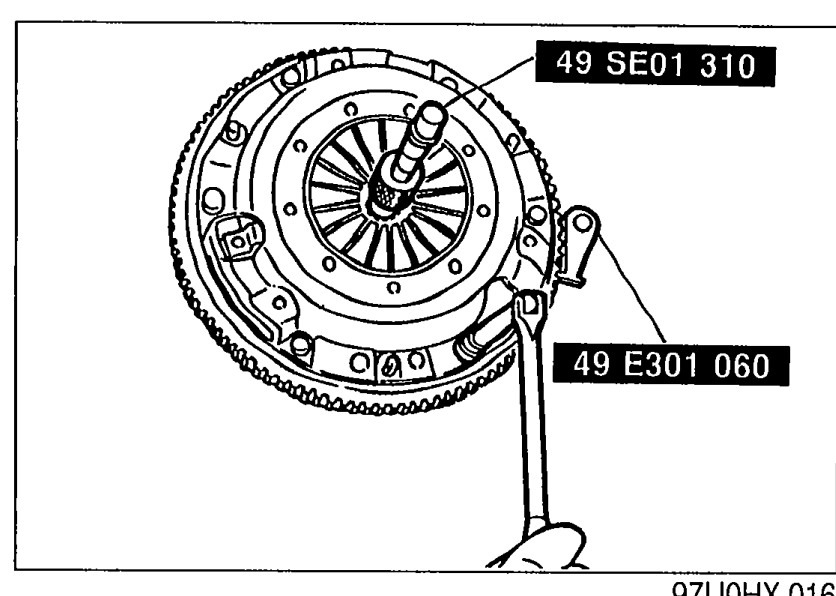 97U0HX-016
 - 2Loosen each bolt one turn at a time in a crisscross pattern until spring tension is released. Then remove the clutch cover and disc.
Flywheel
NOTE
After removing the flywheel, inspect for oil leakage past the crankshaft rear oil seal. If necessary, replace the oil seal. (Refer to Section B.)
Removal Note — Flywheel
- 1Hold the flywheel with the SST.
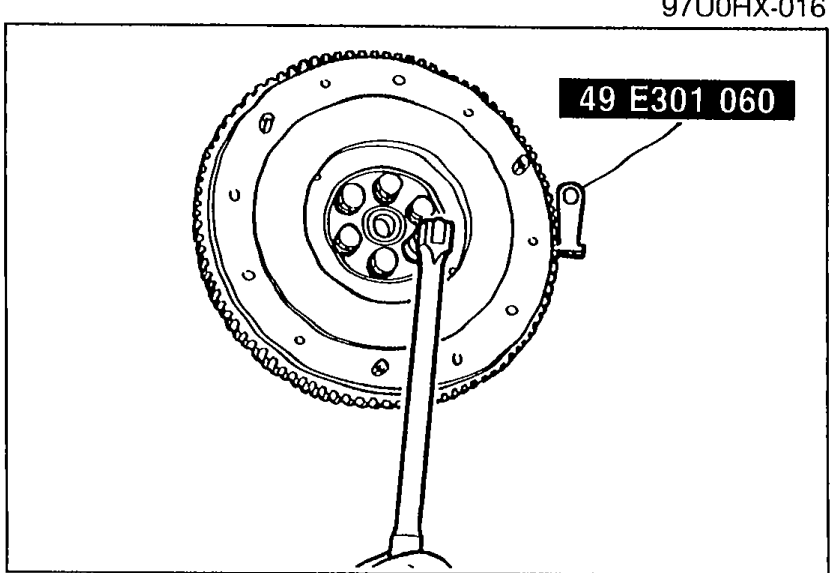 05U0HX-024
 - 2Remove the flywheel.
Pilot bearing
Remove the pilot bearing with the SST, if necessary.
Installation Note
Flywheel
Installation Note — Flywheel
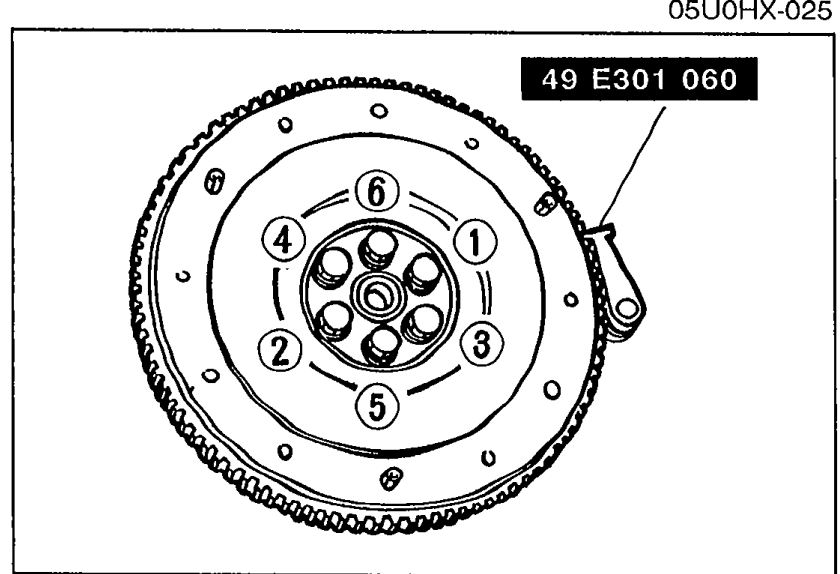
- 1Wipe the bolts clean, and apply sealant to the bolt threads.
 05U0HX-026
 - 2Install the flywheel and SST.
- 3Tighten the bolts in the pattern shown.Tightening torque: 96—103 N·m (9.8—10.5 m-kg, 71—76 ft-lb)
| Specification | Value |
|---|---|
| Tightening torque — flywheel bolts | 96-103N·m |
Tightening torque — flywheel bolts
96-103N·m
Pilot bearing
NOTE
Install the pilot bearing flush with the flywheel.
Install the new bearing with a suitable pipe.