
FUEL SYSTEM
F-108prose procedureHold pressure (continued)
- 4Connect diagnosis connector terminals F/P and GND with a jumper wire.
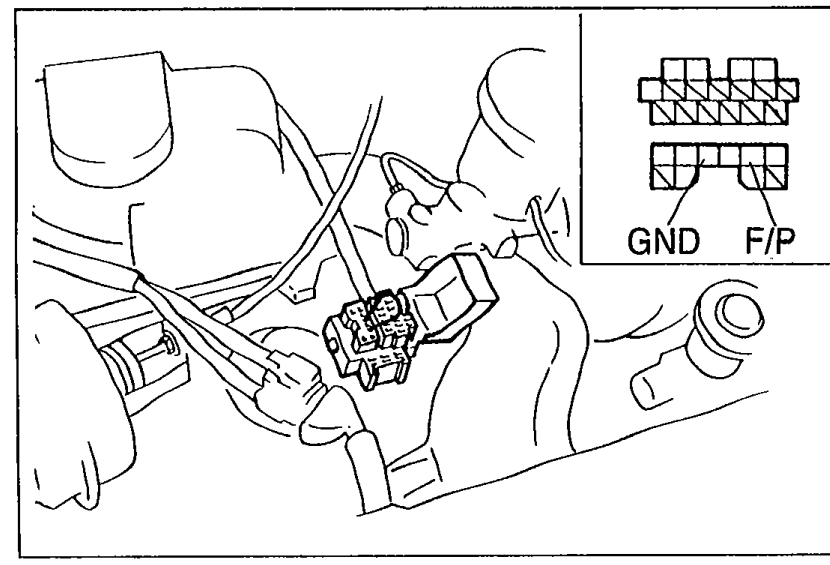 05U0FX-149
 - 5Turn the ignition switch ON for 10 sec. to operate the fuel pump.
- 6Turn the ignition switch OFF and disconnect the jumper wire.
- 7Observe the fuel pressure after 5 min.Fuel pressure: More than 343 kPa (3.5 kg/cm2, 50 psi)
- 8If not as specified, replace the fuel pump.
| Specification | Value |
|---|---|
| Fuel pressure (hold, after 5 min) | More than 343kPa (3.5 kg/cm2, 50 psi) |
Fuel pressure (hold, after 5 min)
More than 343kPa (3.5 kg/cm2, 50 psi)
Fuel pump maximum pressure
WARNING
Before performing the following operation, release the fuel pressure from the fuel system to reduce the possibility of injury or fire. (Refer to page F-101.)
Fuel pump maximum pressure (setup)
- 1Disconnect the negative battery terminal.
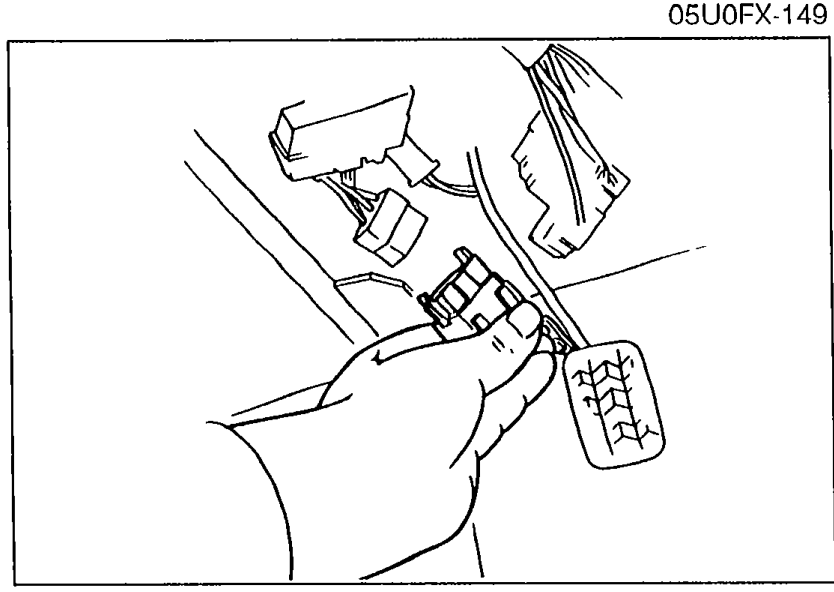 05U0FX-150
 - 2Connect a fuel pressure gauge to the fuel main pipe and plug the outlet of the fuel pressure gauge as shown. (Install clamps as shown.)
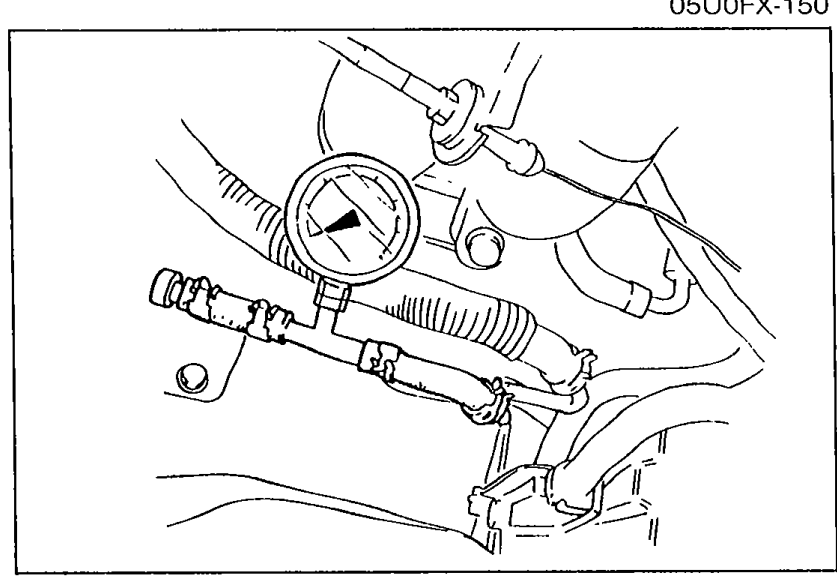 05U0FX-151
 - 3Connect the negative battery terminal.
Fuel pump maximum pressure (test)
- 4Connect diagnosis connector terminals F/P and GND with a jumper wire.
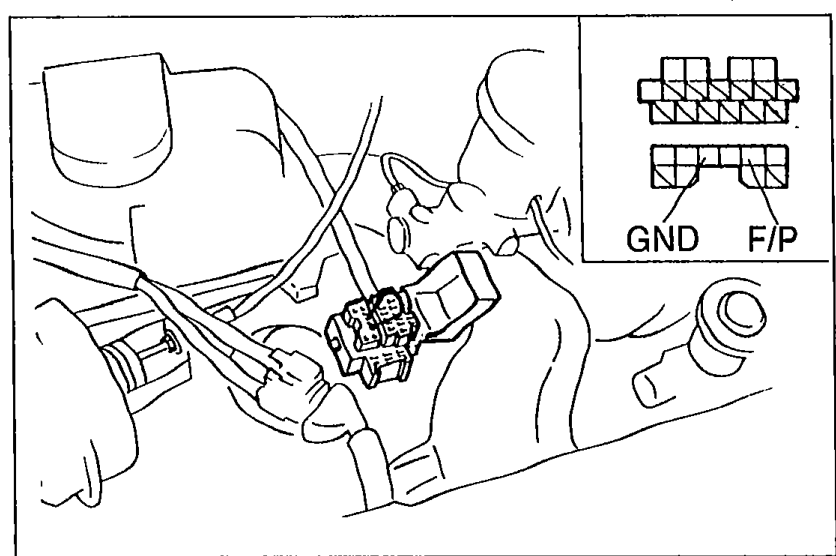 05U0FX-152
 - 5Turn the ignition switch ON to operate the fuel pump.
- 6Measure the pump maximum pressure.Fuel pump maximum pressure: 441—589 kPa (4.6—6.0 kg/cm2, 64—85 psi)
- 7Turn the ignition switch OFF and disconnect the jumper wire.
- 8If not as specified, replace the fuel pump.
| Specification | Value |
|---|---|
| Fuel pump maximum pressure | 441—589kPa (4.6—6.0 kg/cm2, 64—85 psi) |
Fuel pump maximum pressure
441—589kPa (4.6—6.0 kg/cm2, 64—85 psi)
Replacement
WARNING
Before performing the following procedures, release the fuel pressure from the fuel system to reduce the possibility of injury or fire. (Refer to page F-101.)
When replacing the fuel system parts, keep sparks, cigarettes, and open flames away from the fuel.