
ASSEMBLY
B-73prose procedureCamshaft
NOTE
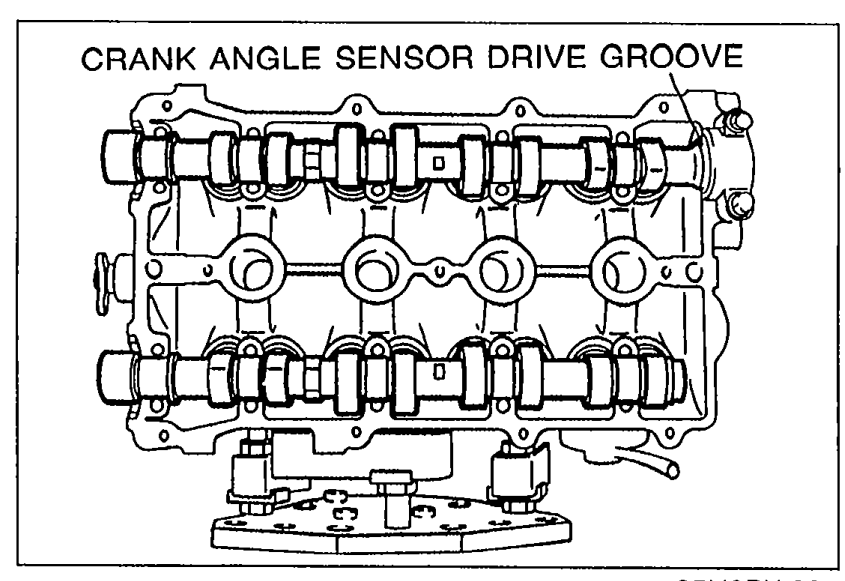
The intake camshaft is grooved for the crank angle sensor drive.
Camshaft Installation
- 1Apply clean engine oil to the camshaft journals and bearings.
 05U0BX-224
 - 2Install the camshaft in position.
CAUTION
Do not allow any sealant on the camshaft journal surfaces.
Camshaft Installation (continued)
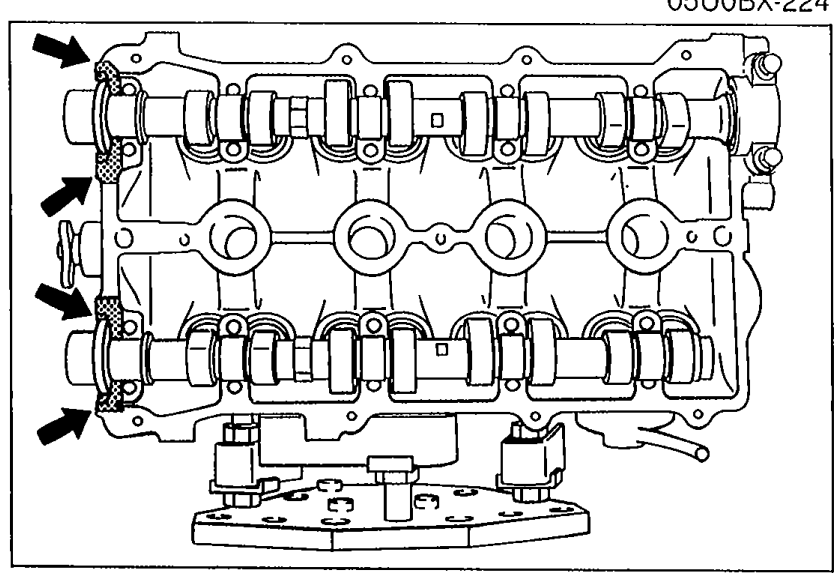
- 3Apply silicone sealant to the shaded areas shown in the figure.
 05U0BX-054
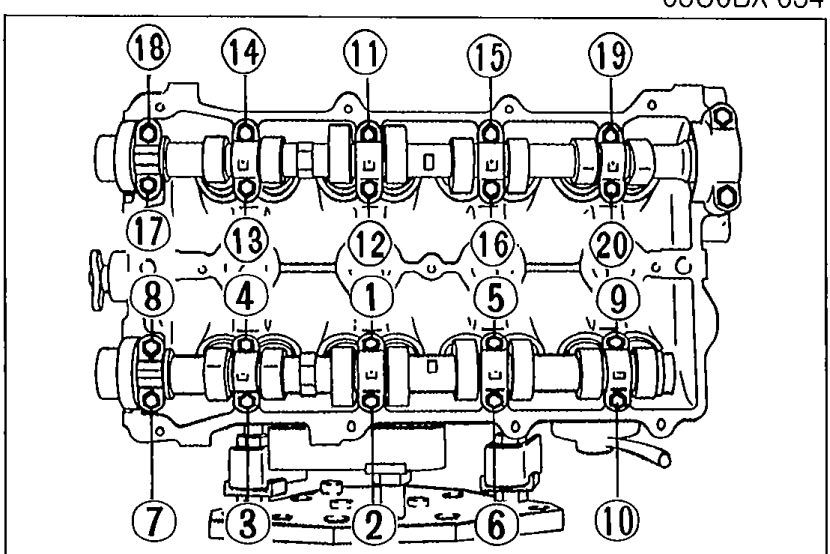
 - 4Install the camshaft caps according to the cap number and arrow mark.
- 5Install the camshaft cap bolts, and tighten them in two or three steps in the order shown.
 05U0BX-055
| Specification | Value |
|---|---|
| camshaft cap bolts | ≈111 - 139N·m |
camshaft cap bolts
111 - 139N·m
Camshaft Oil Seal Installation
- 6Apply a small amount of clean engine oil to the lip of a new camshaft oil seal.
 05U0BX-056
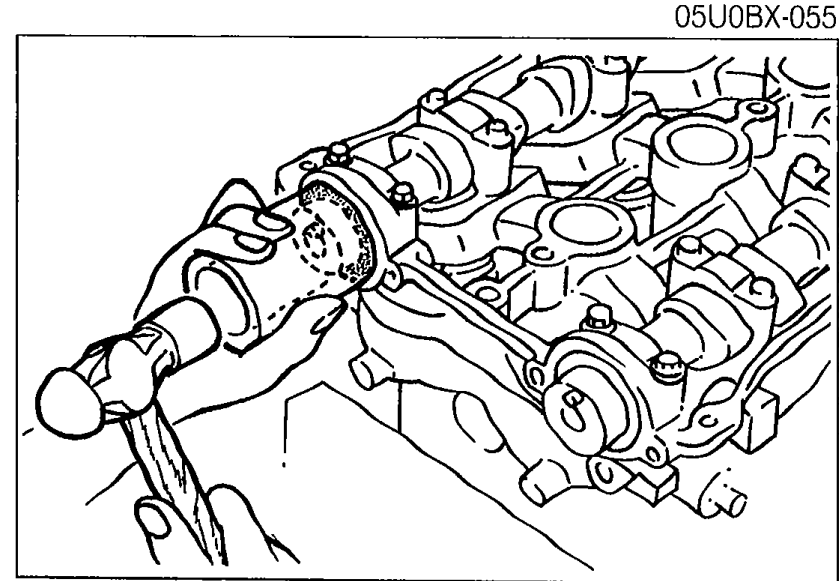
 - 7Push the oil seal slightly in by hand.
CAUTION
The oil seal must be tapped in until it is flush with the edge of the camshaft cap.
Camshaft Oil Seal Installation (continued)
- 8Tap the oil seal in evenly with a suitable pipe and a hammer.
| Specification | Value |
|---|---|
| Oil seal outer diametercamshaft | 48mm (1.89 in) |
Oil seal outer diametercamshaft
48mm (1.89 in)
Camshaft Pulley
Camshaft Pulley Installation
- 1Turn the camshafts until the camshaft dowel pins face straight up.
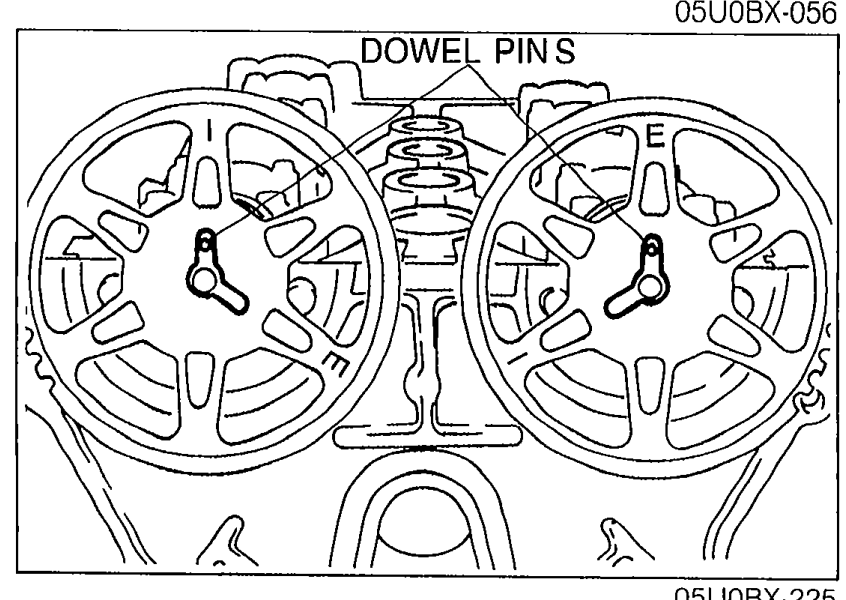 05U0BX-225
 - 2Install the camshaft pulleys with the I mark (intake side) or the E mark (exhaust side) straight up.