
AUDIO — TROUBLESHOOTING — Speaker(s) do not operate (Without headrest speakers)
T-115prose procedureApplies to models without headrest speakers.
TROUBLESHOOTING
Symptom: Speaker(s) do not operate. (Without headrest speakers.)
NOTE
Before troubleshooting, verify that the customer is using the audio system correctly. If not, advise or instruct in him/her the proper operating procedure. (Refer to page T-110.)
Step 1
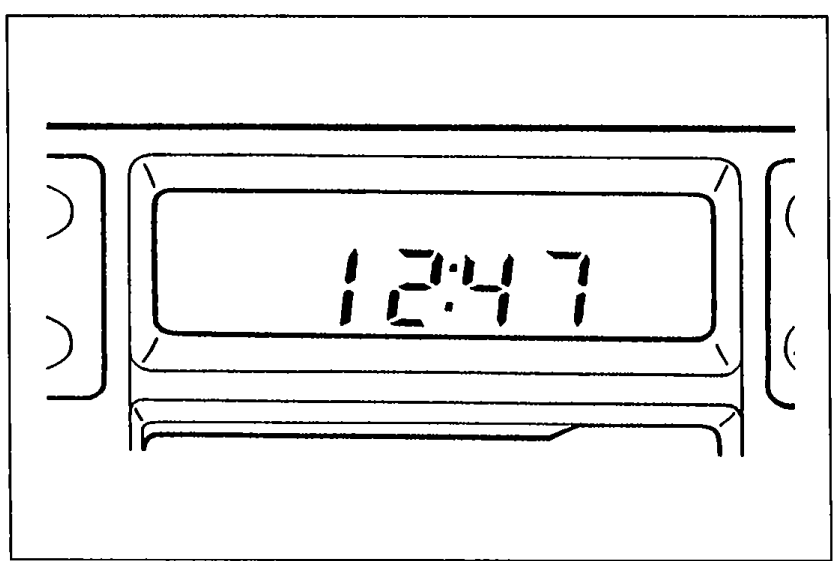
- 1Check if the anti-theft system has been activated. Turn the ignition switch to ACC and note the display.
 05U0TX-250
Step 1 — Display / Action
CODE flashes
ActionDeactive anti-theft system (Refer to page T-114.)
NOTE: If CODE appears when ignition switch is turned to ACC from OFF go to Step 2.
Err flashes
ActionHave audio unit changed at a Panasonic service company
Clock
ActionGo to Step 4
No indication
ActionGo to Step 2
Step 2
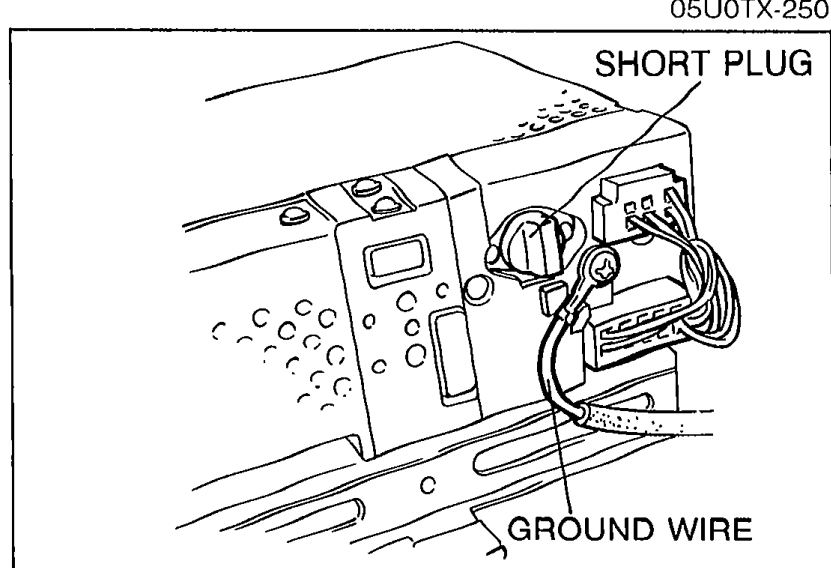
- 1Remove the audio unit. (Refer to page T-126.)
 05U0TX-251
 - 2Check the connections of the ground wire and the short plug.
- 3If a connection is poor or loose, repair or replace it.
- 4If the connections are OK, go to Step 3.
Step 3
- 1Turn the ignition switch to ACC.
 05U0TX-252
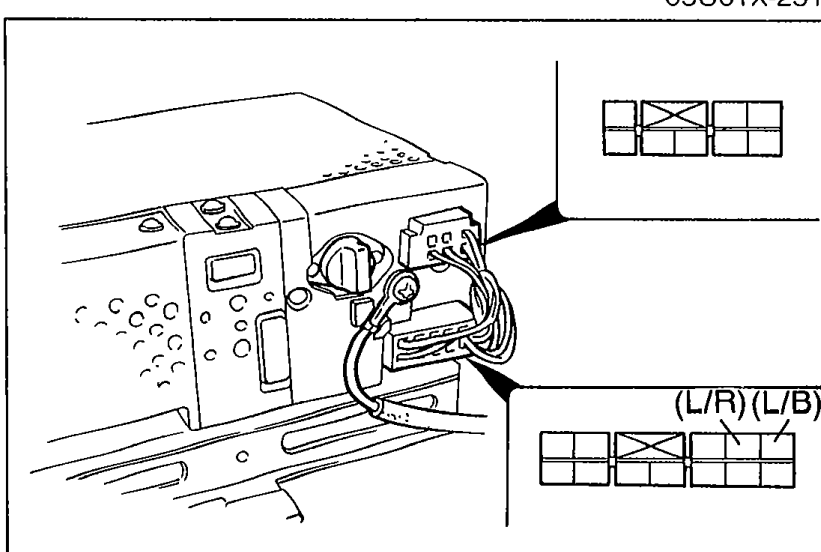
 - 2Measure the voltage at the following terminal-wires of the audio unit connector.
Step 3 — Wire / Voltage / Action
(L/B)
Voltage12V
ActionNext, check wire (L/R)
(L/B)
Voltage0V
ActionCheck CIGAR 15A fuse
If CIGAR 15A fuse OK, repair wiring harness (CIGAR 15A fuse — Audio unit)
(L/R)
Voltage12V
ActionReplace audio unit
(L/R)
Voltage0V
ActionCheck ROOM 10A fuse
If ROOM 10A fuse OK, repair wiring harness (ROOM 10A fuse — Audio unit)
Step 4
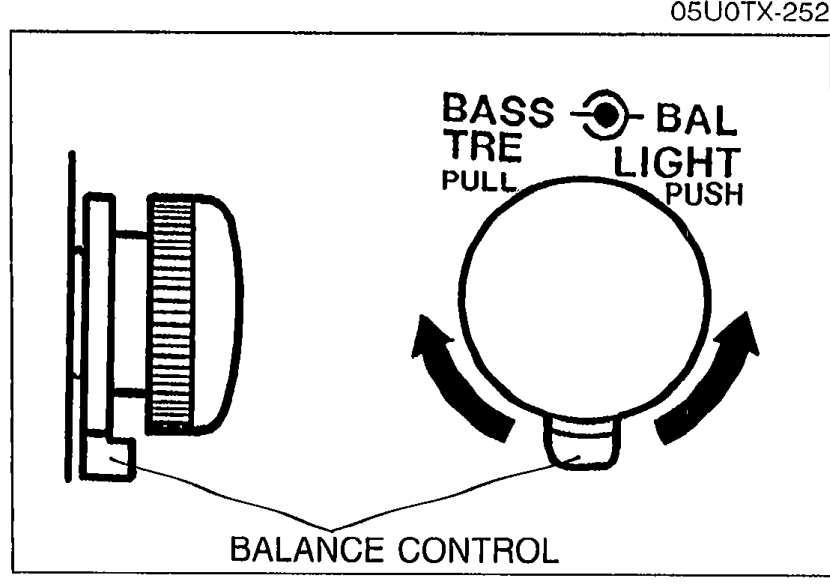
- 1Locate the faulty speaker(s) by using the balance control.
 05U0TX-253
 - 2Turn the ignition switch to ACC.
- 3Play a prerecorded tape, and set the volume to the center position.
- 4Set the balance control as shown in Table 1 (page T-116). Check operation of each speaker.
- 5From results of Table 1 testing, go to the next step.