
AUDIO — Headrest Speaker Troubleshooting (Steps 8–10)
T-119prose procedureStep 8
- 1Check if the headrest speaker connector is properly connected.
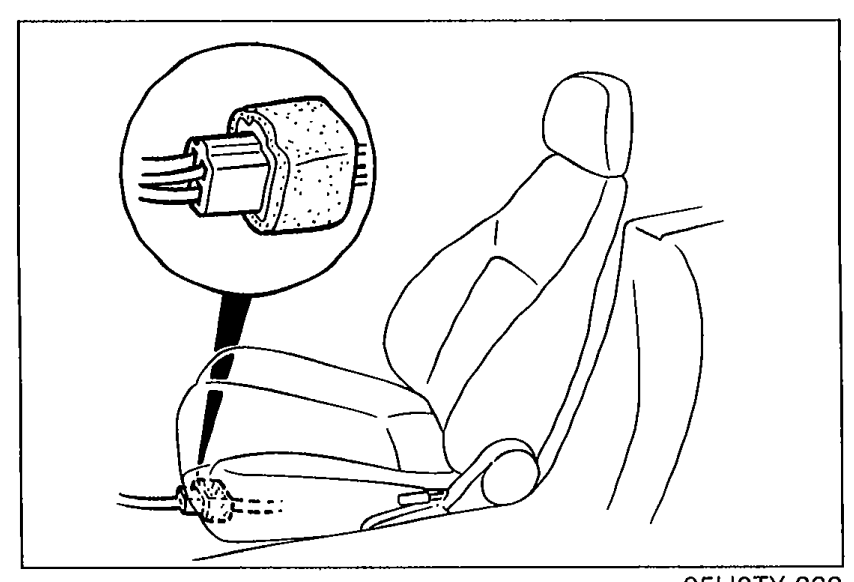 05U0TX-262
 - 2If necessary, repair or reconnect the connector.
- 3If the connection is OK, go to Step 9.
Step 9
- 1Disconnect the headrest speaker connector.
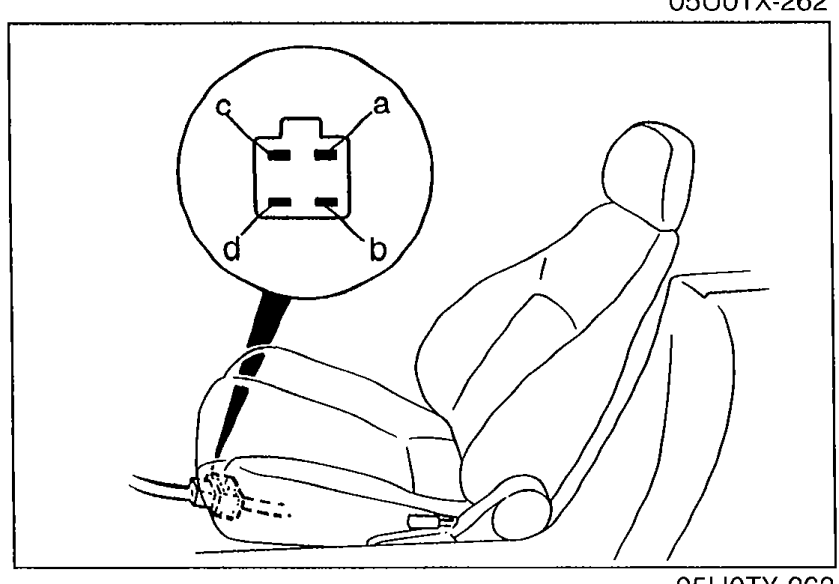 05U0TX-263
 - 2Measure resistance between terminals of the headrest speaker connector as shown.
- 3If not as specified, replace the speaker.
- 4If the resistance is OK, go to Step 10.
Step 9 — Headrest speaker resistance
a—b
Resistance4 ohm
c—d
Resistance4 ohm
Step 10
- 1Disconnect the 8-pin connector of the audio unit.
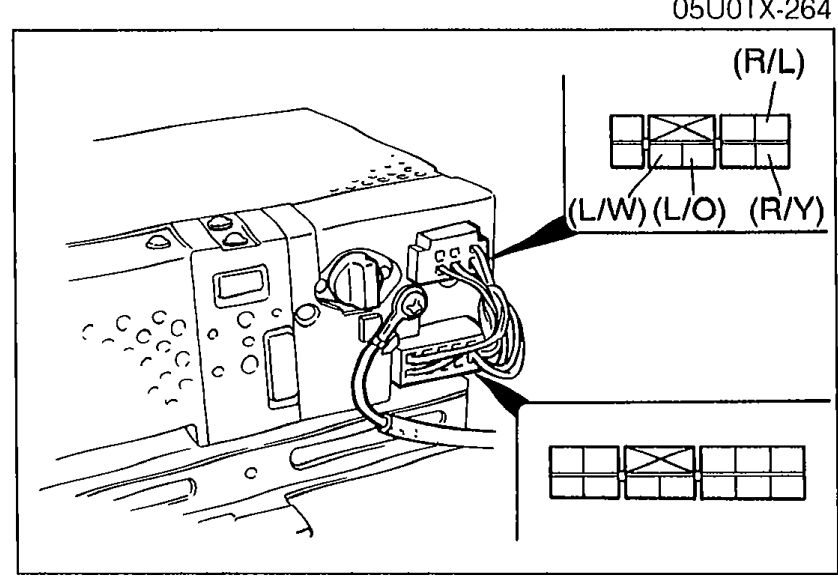
- 2Disconnect both headrest speaker connectors.
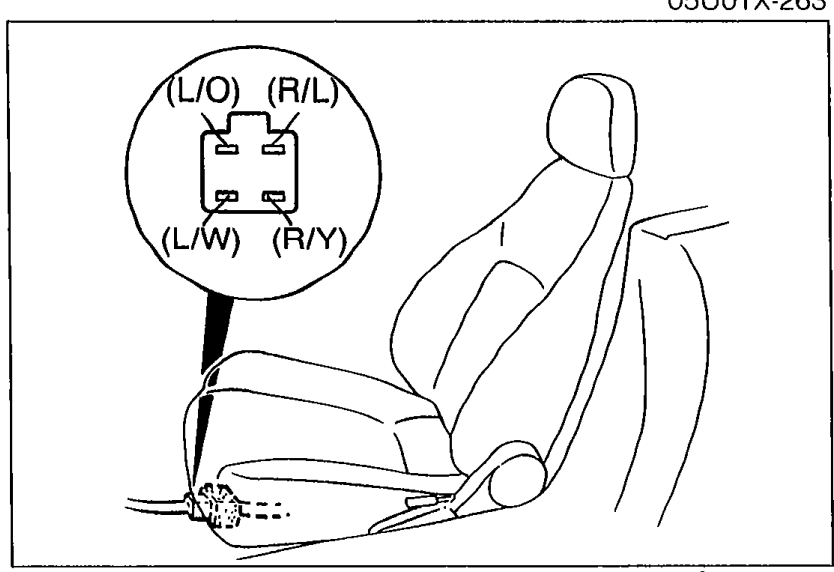 05U0TX-264
 - 3Check for continuity of the following wires of the headrest speakers wire harness.
- 4If not as specified, repair the faulty wiring.
- 5If the wiring is OK, replace the audio unit.
Step 10 — Headrest speaker wire continuity
Audio unit — Driver seat headrest speakers
Wire(R/Y)
ContinuityYes
Audio unit — Driver seat headrest speakers
Wire(R/L)
ContinuityYes
Audio unit — Driver seat headrest speakers
Wire(L/W)
ContinuityYes
Audio unit — Driver seat headrest speakers
Wire(L/O)
ContinuityYes
Audio unit — Passenger seat headrest speakers
Wire(R/Y)
ContinuityYes
Audio unit — Passenger seat headrest speakers
Wire(R/L)
ContinuityYes
Audio unit — Passenger seat headrest speakers
Wire(L/W)
ContinuityYes
Audio unit — Passenger seat headrest speakers
Wire(L/O)
ContinuityYes
See also
Step 8 · Step 9 · Step 10